Flipped classroom has become the latest buzz phrase in the eductional world, and we have companies like the Khan academy to think for it. Personally I think the flipped classroom is totally awesome, and one of the largest shifts in pratical educational practice sense the invention of the chalk board. Having said that, it's a big tech jump for anyone thinking of doing it. For us (most of my readers being either tech experts or students in the Educational Technology program) this wouldn't be a huge problem because we're comfortable with technology, but I wonder how to make the extreme cases use the benefits of a flipped classroom...
Of course this brings up a larger range of issues, including how to have a non-digital native generation use technology effectively. How to promote comfort and ease of use tools among a petrified and paranoid users group, and how to generally re-assure them that the computer will not explode if they hit the wrong button. Generally, I've found teachers to be enthusiastic in this regard, they want to help students learn and are willing to take risks to help. However, I've often found that the success they have tends to be won or lost in the planning phase. What happens between "neat" and "OK class, today we're going to" is critical to the success of the digital lesson.
Having said that I think cloud based tools are a great way to accomplish a lot of our goals, they're reliable and managed professionally, easy to use and very accessible regardless of device. Huge win all around and seven great tools.
Article Source: http://www.freetech4teachers.com/2014/08/seven-web-based-tools-for-delivering.html
Tuesday, 12 August 2014

EDU 653 - Week 8 (Post 1) - Many Many Posts about Games
It would appear it's game launch season yet again...pretty good marketing really, get the kids and the parents right around back to school time "summer's over, have a video game" Anyway the rash of new games and system advertising that's shown up on my Feedly this week makes me wonder (again) if there's a place for gaming and gaming systems in Education. Many many scholars have written and researched extensivly on the topic, and most have found it to be a likely way to engage students who might otherwise be difficult to involve. I tend to agree with this thought, that when used properly video games can be a real educational tool. Having students that stuggle with literacy play a video game and then keep a blog about their experences is an exersise I've run myself many times, all with fairly good results.
I'm skeptical about placing xboxes in classrooms, and I don't think this is a good solution, but I wonder if this might be a good place for game worlds to be headed as a way to engage students who might otherwise struggle with reading and writing. I think in this case structure is the key, otherwise it will simply become an exercise in gaming for gaming sake, but overall might not be a bad place for Special Education to consider going.
I'm skeptical about placing xboxes in classrooms, and I don't think this is a good solution, but I wonder if this might be a good place for game worlds to be headed as a way to engage students who might otherwise struggle with reading and writing. I think in this case structure is the key, otherwise it will simply become an exercise in gaming for gaming sake, but overall might not be a bad place for Special Education to consider going.
Tuesday, 5 August 2014
EDU 653 - Week 7 (Post 2) - 7 Things you should know about LuLu
Does anyone remember the days in elementary school when it was "make your own book" day? Clearly a win with most students as it touches upon creativity, gives them something to bring home and show grandma and lets them have a little fun too. In our schools growing up when this activity was done we always laminated and bound our "books" together, which made them last for years and years. It was also great fun to look back years later and wonder what in the name of god I was thinking when I wrote the book, but that's a different topic altogether.
Despite this exercise being a popular favourite with elementary school teachers, the practice seems to drop off in high school, which is a little bit puzzling. No doubt fuelled by the lack of crayons and construction paper in most high schools, I also think the whole process is a little "kiddish" for the high school masses (although, they'd probably have fun doing it) what's really interesting though is there's no lack of students interested in creative writing in high school, yet the works they produce, many of which are extremely high quality are just printed and stored in a three ring binder.
LuLu is a service that can offer students the ability to see their work in print, experience publishing and even get an ISBN number if they like. The article referenced talks at length about academic credibility (bla bla bla) and that's a fair point, but I think offering an older student the chance to see their work in print is something that is super cool and could easily be a real win with students interested in creative writing.
If my supervisors ever take leave of their senses and get me to teach an English course, this may just end up being one of the assignments
Article source: http://www.educause.edu/library/resources/7-things-you-should-know-about-lulu
EDU 653 - Week 7 (Post 1) - 8 Tips and Tricks to Redesign Your Classroom
When originally viewing this article, I thought it would be mostly about changing the learning focus of a classroom from a traditional method to something more along the flipped concept. Although I was wrong, this article is particularly interesting as it discusses a re-model of your classroom and how to make it work. When thinking about any classroom centered project, particularly with technology, I've come to the conclusion that most of the success or failure happens in the prep work. The same is true for any project, particularly when you're dealing with kids.
This article goes in deep to help you come up with a classroom re-design plan that makes sense by not only supporting the students but making them part of designing their own learning space. With the popularization of "remodel" and "remake" shows on TV, I think a classroom facelift can be a great idea to really help engage and excite the students. This article goes a long way to helping support and making that project successful. Worth a read!
Article Source: http://www.edutopia.org//blog/8-tips-and-tricks-redesign-your-classroom
Monday, 28 July 2014
EDU 653 - Week 6 (Post 2) - 7 Things you should know about Facebook
Most of the information in this article was fairly standard, a basic what's what of Facebook and the various other flavors of social networking. What I found most interesting though when reading this article (Educause never fails to produce thought provoking items)is the section near the end where the author talks about cultivating online relationships and teaching students to develop an online identity properly. I think this is a great point. We see every day on the news kids being cyber bullied, posting inappropriate pictures, personal information or just abusing a tool like Facebook. Few realize that the posts they make today will likely haunt them for the rest of their lives, as Facebook is esentially a large digital repository.
Part of the changing education for technology in our classrooms must be a discussion on ethical and appropraite use of technology. Kids today must be prepared for a more connected culture, and we as teachers have a duty to prepare them for a more connected world.
Article Source: http://net.educause.edu/ir/library/pdf/ELI7025.pdf
Part of the changing education for technology in our classrooms must be a discussion on ethical and appropraite use of technology. Kids today must be prepared for a more connected culture, and we as teachers have a duty to prepare them for a more connected world.
Article Source: http://net.educause.edu/ir/library/pdf/ELI7025.pdf
EDU 653 - Week 6 (Post 1) - OSX Yosemite
The long awaited sucessor to OSX Mavricks approaches, hopefully this time they'll fix connections to Windows servers..but anyway, there's a long slew of promised updates and performance tweaks to make this the best version of OSX ever created. Apple has a great history of producing outstanding updates to it's software that work far better then their Windows counterparts, and as a apple fan (ironic, given my teaching and work usually focuses on Windows Server OS's) I'm really looking forward to kicking the tires on Yosemite, however one feature in pertucular has struck me as blog worthy.
In the new version, Apple promises to tie more mobile devices together so you can text or call from a computer, a iPad or your iPhone. This sounds awesome, but what are the implications for the educational context? Suppose a student accidentally links their phone to the mac in a classroom and displays his or her call and text history for the class to see. Some might think that there would surely be a tool to prevent this, but one of the major deficencenies of the Mac is the management tools that support IT in widespread deployments.
The circumstance I described may be a bit far fetched for now, but with everything moving to a more connected world, where you can access your entire device from any location, how do shared computers in an educational environment respond?
Article Source: http://arstechnica.com/apple/2014/07/psa-download-the-os-x-yosemite-public-beta-now/
Tuesday, 22 July 2014
EDU 653 - Week 5 (Post 2) - TED Talks in the Classroom
TED talks are both interesting and informative for most people that have watched them. They change our perspectives, let us listen to experts and make us think in very powerful ways. TED has gone a long way to making sure that the content they post for the talks is legitimate, thought provoking and not average in the sense that it's something you'd find in a newspaper or magazine. I'm a big fan of TED talks, and I'm my classroom it's easy because the students are at an age where they're somewhat ready to consider new ideas and avenues of thought. They can digest the content and the meaning that the speaker is attempting to convey with more ease then a middle school student who may not have reached the higher levels of Bloom yet. This leads me to wonder though, how might TED talks be used in the elementary/middle school classroom and is there a place for them.
This article talks at length about the uses in the classroom and really makes me want to find a way to make TED talks work for a younger audience. The author talks about the passion and the thought provoking nature of TED talks at length, and gives me some ideas to start with. However, I'd still be weary of confusing younger students or pushing them content that they're not ready for. Clearly worth some additional thought....
Article Source - http://www.edutopia.org//blog/student-passion-and-tedx-talks-nick-provenzano
This article talks at length about the uses in the classroom and really makes me want to find a way to make TED talks work for a younger audience. The author talks about the passion and the thought provoking nature of TED talks at length, and gives me some ideas to start with. However, I'd still be weary of confusing younger students or pushing them content that they're not ready for. Clearly worth some additional thought....
Article Source - http://www.edutopia.org//blog/student-passion-and-tedx-talks-nick-provenzano
EDU 653 - Week 5 (Post 1) - Apple Forensic Tools

As much as I hate sounding like a conspiracy theorist this article got me thinking a little bit about some of the backdoor's and the tools that our everyday technology is vulnerable too. A great deal of the comments on this particular thread talk about how you "have nothing to worry about unless you're a criminal" or "if it helps get criminals off the street who cares" and I think that's a fair point. On the other hand, the thought of any government agency (no offense intended but particularity the US ones as I'm not a US citizen) bothers me a little. I guess what I object to the most is the covert nature of it all. I don't object to law enforcement having tools that they need in a rapidly becoming digital world, and I don't mind them using such tools to get criminals off the street, but I do think that more transparent controls over such tools are needed. I'm not entirely sure what that should look like in a global world, but I can't say I'm cool with a government agency having the ability to read everything I've ever done on my phone without my knowledge.
Article Source - http://www.macrumors.com/2014/07/21/covert-backdoors-ios/?utm_medium=referral&utm_source=pulsenews
Image Source - https://c1.staticflickr.com/1/206/521723595_8659c5d91f.jpg - labeled for non commercial re-use (creative commons)
Wednesday, 16 July 2014
EDU 653 - Week 4 (Post 2) - MSN Safety
Internet safety is of critical importance to kids in this generation. Our students are getting more and more connected with digital entities such as social media and Skype and with that dramatic shift in communication arises a need to understand the safety implications associated with online identities.
We’ve all see the horrific and scary Dateline NBC “To catch a predator” shows and know that there are real dangers coming from chat rooms to our children. What I like about the video posted from KINSA is that although it was a little dated, the focus was on giving the parents a real look and tips at how this all works. What surprises me, coming from a digital crime background is how proficient the children of today are at identifying threats. Many of today’s internet savvy kids already know what to look for when chatting online and are not as gullible as society would make them seem.
However, that doesn’t negate the fact that they’re operating in risky territory and the parents need to be more prepared. This video goes a long way to help, but more emphasis needs to be placed on monitoring your kids contact lists without violating their privacy too much. If kids don’t feel they have privacy or that their “personal lives” are being threatened, they’ll become more secretive and work on more covert methods of contacting friends online. This is all bad news for parents, because it means they’re competing with their kids for control of a world they don’t understand where the child holds the advantage because they’re a digital native.
As with most problems, the golden ticket is education – more education for the kids and the parents. Not just the involved soccer moms, ALL the parents.
We’ve all see the horrific and scary Dateline NBC “To catch a predator” shows and know that there are real dangers coming from chat rooms to our children. What I like about the video posted from KINSA is that although it was a little dated, the focus was on giving the parents a real look and tips at how this all works. What surprises me, coming from a digital crime background is how proficient the children of today are at identifying threats. Many of today’s internet savvy kids already know what to look for when chatting online and are not as gullible as society would make them seem.
However, that doesn’t negate the fact that they’re operating in risky territory and the parents need to be more prepared. This video goes a long way to help, but more emphasis needs to be placed on monitoring your kids contact lists without violating their privacy too much. If kids don’t feel they have privacy or that their “personal lives” are being threatened, they’ll become more secretive and work on more covert methods of contacting friends online. This is all bad news for parents, because it means they’re competing with their kids for control of a world they don’t understand where the child holds the advantage because they’re a digital native.
As with most problems, the golden ticket is education – more education for the kids and the parents. Not just the involved soccer moms, ALL the parents.
Monday, 14 July 2014
EDU 653 - Week 4 (Post 1) - Windows Themes
As my second post for this week promises to be deep and serious given the subject matter, I thought this would be a good opportunity for me to lighten things up a little. The RSS post I've decided to talk about here is one about Windows themes. Too many times I've gone into classrooms and seen the standard Windows splash wallpaper, a school logo or other boring wallpaper on the desktop. I'm not advocating that we let the students have their own desktop wallpaper (as I know first hand the chaos that would ensue) but as a user interface freak I LOVE awesome desktop wallpapers. A good wallpaper changes the entire way we look at our computer, makes it look amazing or in my case lets me day dream a little while I'm staring at it while I'm "working". Windows (7) makes it super easy to change the desktop wallpaper on a timer and personally I'd love to see this in more classrooms. At the very least I think it makes it look better.
Relating back to the article, this blog post has some pretty fancy wallpapers to download if you're looking to spice up your desktop.
Article Source - http://blogs.windows.com/windows/b/windowsexperience/archive/2014/07/14/windows-themes-from-dawn-to-dusk.aspx
Relating back to the article, this blog post has some pretty fancy wallpapers to download if you're looking to spice up your desktop.
Article Source - http://blogs.windows.com/windows/b/windowsexperience/archive/2014/07/14/windows-themes-from-dawn-to-dusk.aspx
Tuesday, 8 July 2014
EDU 653 - Week 3 (Post 2) - Digital Storytelling in Plain English
There is something profound about connecting with students and learning from a story. I remember vividly having a different definition of storytelling in education until I was forced to read One Native Life by Richard Wagamese and discuss it in class. For some reason I found the story confusing and disjointed until I realized that the author was doing that on purpose. You see there's a common theme in native writing where the disjointed and hard to understand nature of the story is a manifestation of the confusing and broken nature of the authors life. Upon realizing this my perception of storytelling was changed forever. There's something profoundly human about connecting with someone when you listen to them tell a story. It's even more real if it's a first hand account. True education is about understanding, and a well told and personal story is one of the best ways to do this.

As we move into a digital world, I think our possibilities for storytelling are increased. Now we have the power to share not only important and profound stories with others, but also to share our own personal story with others, fostering deeper connections. Being a former history teacher, the possibilities of forging connections in our students minds with real life events is like having the golden ticket to the chocolate factory. I think the onus is on us, as teachers, to not just create digital stories to help our students, but to also find the ones that will reach out and impact our students the most.
Article Source: https://www.youtube.com/watch?v=zP6CeGLPuOY
Picture Source - Accessed via the creative commons license - http://upload.wikimedia.org/wikipedia/commons/5/55/Millais_Boyhood_of_Raleigh.jpg
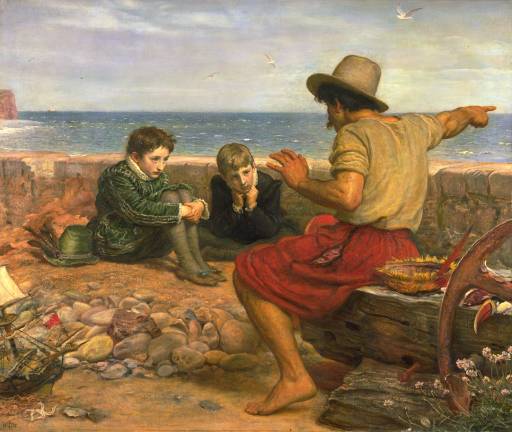
As we move into a digital world, I think our possibilities for storytelling are increased. Now we have the power to share not only important and profound stories with others, but also to share our own personal story with others, fostering deeper connections. Being a former history teacher, the possibilities of forging connections in our students minds with real life events is like having the golden ticket to the chocolate factory. I think the onus is on us, as teachers, to not just create digital stories to help our students, but to also find the ones that will reach out and impact our students the most.
Article Source: https://www.youtube.com/watch?v=zP6CeGLPuOY
Picture Source - Accessed via the creative commons license - http://upload.wikimedia.org/wikipedia/commons/5/55/Millais_Boyhood_of_Raleigh.jpg
EDU 653 - Week 3 (Post 1) - 40+ Great Free iPad Apps for Elementary
iPads rock...Yes, Android tablets are cheaper, more powerful, open source and fancy, but call me an Apple groupie all you want I still love the iPad. One of the great things about it is the sheer volume of apps for any topic. This is both a blessing and a curse as it gives you lots to choose from, but can make it difficult to find "good" apps. This article, and any other when they launch such as series is great because it helps me weed through the endless masses of poorly coded apps that do nothing without paying $1.99 and then do very little. Lists of apps, when written by networkable professionals help real teachers and tech consultants weed through some of the BS and find apps that can really help us reach our students. Although this list in particular doesn't have much that helps me (as I'm not working in elementary) I love the idea of starting your own app list to help others learn from my own experiences.
Article Source: http://www.educatorstechnology.com/2014/07/40-great-free-ipad-apps-for-elementary.html
Article Source: http://www.educatorstechnology.com/2014/07/40-great-free-ipad-apps-for-elementary.html
Saturday, 5 July 2014
EDU 653 - Week 2 (Post 3) - Twitter in Plain English
Twitter in plain English helped me to understand some of the people I currently follow...To explain that sentence a little more, I love twitter and use it daily to read and to catch up with information. However, I use it mainly as an easy alternative to an RSS feed. I've enjoyed using RSS for this class, but I find that most of the information is too long for me to read quickly throughout the day. However, with Twitter (and the accounts I follow) I get a snapshot of what the person is tweeting about, and an option to click a link to read more if I'd like. For me this fills a void between being out of touch with current events and reading a full post delivered through RSS. History in Pictures is a great example, if I see the tweet I can look at it and think about it for a few seconds without taking a whole bunch of time...maybe that's not what the founders had in mind, but I find it useful.

That being said, after viewing the video I now understand why some of the folks I follow tweet about EVERYTHING. On a side note, feel free to follow me if you'd like @ianthomson2
That being said, after viewing the video I now understand why some of the folks I follow tweet about EVERYTHING. On a side note, feel free to follow me if you'd like @ianthomson2
Subscribe to:
Comments (Atom)